
Download All Office Converter – convert PDF, convert Word, convert Excel, convert text to image, document converter, file converter, batch conversion, office tools, PDF to Word, Excel to PDF
Overview
All Office Converter is a mobile utility designed to simplify the conversion of various document formats, serving as a practical tool for both personal and professional users. The app enables seamless transitions between common file types such as PDF, Word (DOC), Excel (XLS), TXT, and more. By eliminating the need for complex desktop software, it offers a lightweight, on-the-go solution for users who frequently handle document conversions. The app addresses the common challenge of format incompatibility, allowing users to quickly adapt files for sharing, editing, or archiving across different platforms and devices.
Its target audience includes students, remote workers, freelancers, and office professionals who rely on document interchangeability. The ability to convert files without losing formatting or quality enhances workflow efficiency, particularly in environments where cross-platform collaboration is essential. Although the developer did not provide additional background information, the app’s long-standing presence in the market since its release on August 13, 2009, suggests a stable and tested foundation. Real-world use cases include preparing reports for submission, converting scanned documents into editable formats, and transforming text content into visual assets for presentations or social media.
Within the productivity app ecosystem, All Office Converter fills a niche by offering a dedicated, focused tool for file conversion. Unlike general-purpose office suites, it streamlines a single function with precision, making it a reliable alternative for users seeking speed and simplicity. The app’s free pricing model further increases its accessibility, supporting widespread adoption across diverse user groups.
Key Features & Functionality
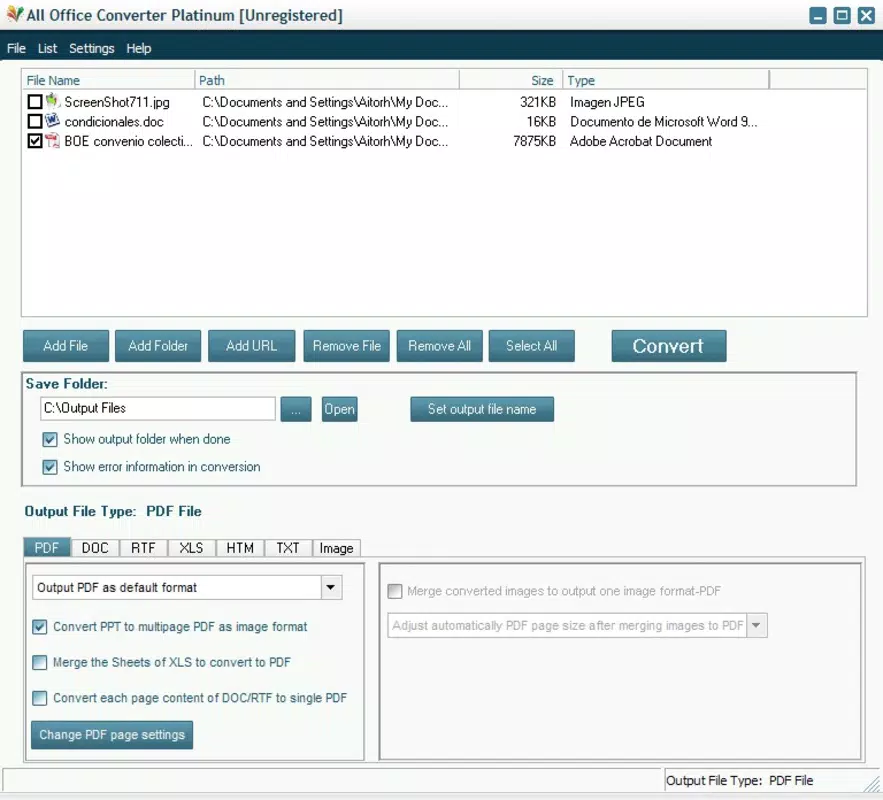
- Comprehensive Format Support: All Office Converter supports a broad range of file types, including PDF, DOC, XLS, TXT, and image formats such as JPG, GIF, and BMP. This ensures compatibility with most common document and media files, minimizing the risk of conversion errors due to unsupported formats.
- Batch File Conversion: Users can select multiple files simultaneously for conversion, significantly reducing time and effort when processing large volumes of documents. This feature is particularly beneficial for professionals managing extensive documentation or students preparing multiple assignments.
- Text to Image Conversion: The app offers a unique functionality that allows users to convert plain text into visual images. This is useful for creating shareable content, visual summaries, or embedding text into designs without relying on external graphic tools.
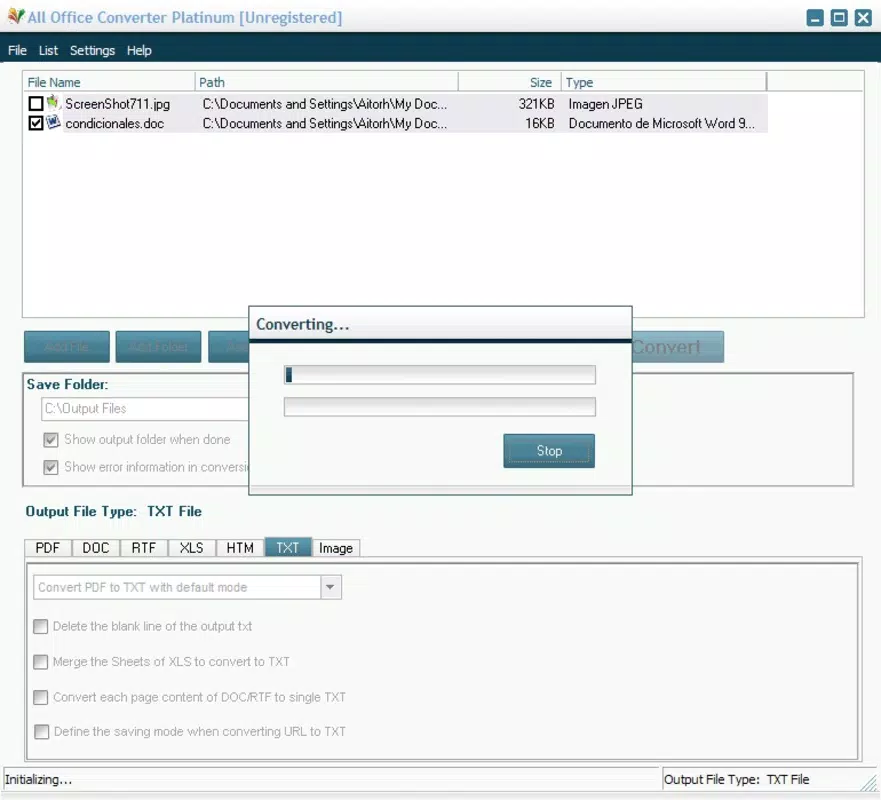
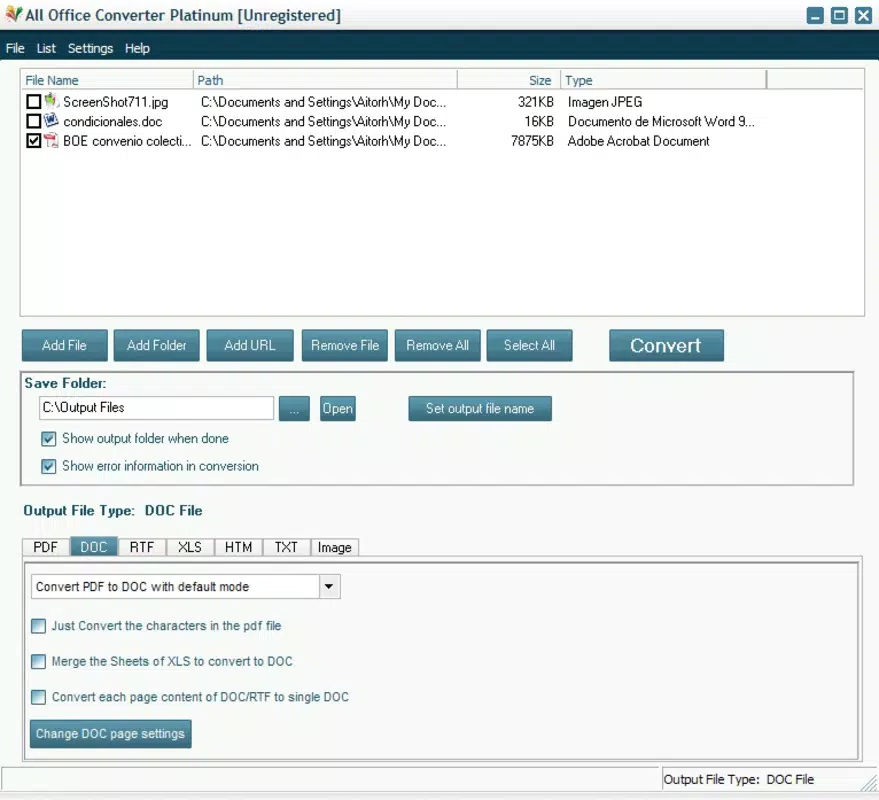
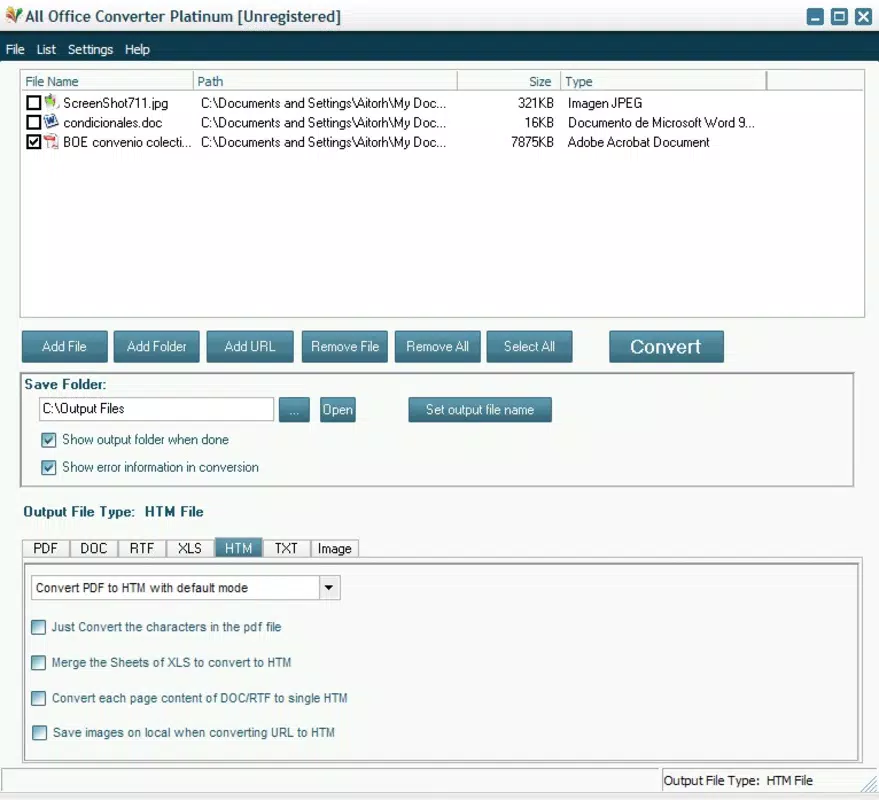
- User-Friendly Interface: The interface is designed with simplicity in mind, featuring a clean layout that enables users to select input files and choose output formats with minimal steps. This low learning curve makes the app accessible to users of all technical levels.
- Quick and Efficient Processing: Optimized performance ensures fast conversion speeds, minimizing wait times even with multiple files. This efficiency supports time-sensitive tasks and enhances overall user satisfaction.
For example, a user preparing a presentation might convert a PDF report into an editable Word document and simultaneously generate image versions of key text excerpts for slides. Similarly, a freelancer could batch-convert a folder of client documents into PDFs for secure sharing, all within minutes.
Interface, UX & Performance
The user interface of All Office Converter is designed for clarity and ease of navigation. Files are selected through a straightforward file browser, and output format options are displayed in a clean, organized list. The layout prioritizes functionality over visual embellishment, which contributes to a smooth and distraction-free experience. Navigation is intuitive, with minimal taps required to initiate a conversion, making it suitable for users who value speed and simplicity.
Although the developer did not list formal performance metrics, the app’s lightweight size of 15.3 MB suggests optimized resource usage. This indicates that it is likely to run efficiently on a variety of Android devices, including mid-range and older models. Responsiveness is maintained during file selection and conversion processes, with no reported delays in the user flow. Stability appears consistent, as the app has remained available for over a decade, indicating a reliable foundation.
Performance may vary slightly depending on device capabilities, especially when handling large files or batch conversions. However, the app’s focus on core functionality suggests it is not burdened by unnecessary background processes. Overall, the UX aligns with the expectations of a productivity tool: fast, predictable, and purpose-driven.
Platform Compatibility & Technical Requirements
All Office Converter is available exclusively on the Android platform. The app is compatible with Android devices running the specified software version, though specific minimum OS requirements were not listed by the developer. The file size is 15.3 MB, which is relatively small, indicating a lightweight installation that does not consume significant storage space.
Given the app’s release date in 2009, it is likely optimized for older Android versions, but compatibility with newer systems cannot be confirmed without additional details. Users are advised to ensure their device meets the necessary system requirements, which were not fully disclosed. The absence of specific technical specifications means users should proceed with caution on newer Android versions if updates are not available.
Pros and Cons
Pros
- Free to download and use, with no in-app purchases or ads reported
- Supports a wide variety of file formats, including PDF, DOC, XLS, TXT, JPG, GIF, and BMP
- Batch conversion feature enhances efficiency for bulk file processing
- Text-to-image conversion offers a unique utility for content creators
- Lightweight design (15.3 MB) ensures minimal impact on device storage
Cons
- Specific OS requirements were not provided, limiting compatibility clarity
- Developer did not publish detailed performance or update history
- Interface lacks modern design elements, appearing dated compared to current standards
- No information on cloud integration or file syncing features
- Long release date raises questions about ongoing support and security updates
FAQ
Is All Office Converter safe to download and use?
The app is available for free on Android and has been in circulation since 2009. While no official security audits were provided, its long-standing presence suggests a stable and secure foundation. Users are advised to download from trusted sources to avoid modified versions.
Can I convert multiple files at once?
Yes, All Office Converter supports batch file conversion, allowing users to select and convert multiple documents simultaneously, which improves efficiency when handling large volumes of files.
Does the app support PDF to Word conversion?
Yes, the app includes support for converting PDF files into editable Word documents (DOC), making it useful for extracting text from scanned or non-editable PDFs.
Is there a version for iOS or Windows?
Currently, the app is only available for Android. No information was provided about versions for iOS, Windows, or other platforms.
How often is the app updated?
The developer did not disclose an update schedule or release history. Given the app’s initial release in 2009, users should expect limited or no recent updates, which may affect compatibility with newer Android versions.
Final Thoughts + CTA
All Office Converter remains a functional and accessible tool for users seeking a no-frills solution to document conversion. Its support for multiple formats, batch processing, and text-to-image capabilities make it a valuable asset for professionals and students alike. While the interface may appear outdated and the lack of recent updates raises concerns about long-term viability, its core functionality continues to serve its purpose effectively.
For users who prioritize simplicity, speed, and a free tool without subscription fees, All Office Converter delivers tangible value. It’s especially useful for those who need to convert files on the go and don’t require advanced features like cloud sync or real-time collaboration.
Despite its age, the app maintains relevance in the productivity space as a reliable, lightweight utility. Download All Office Converter now to streamline your document workflows with ease.


